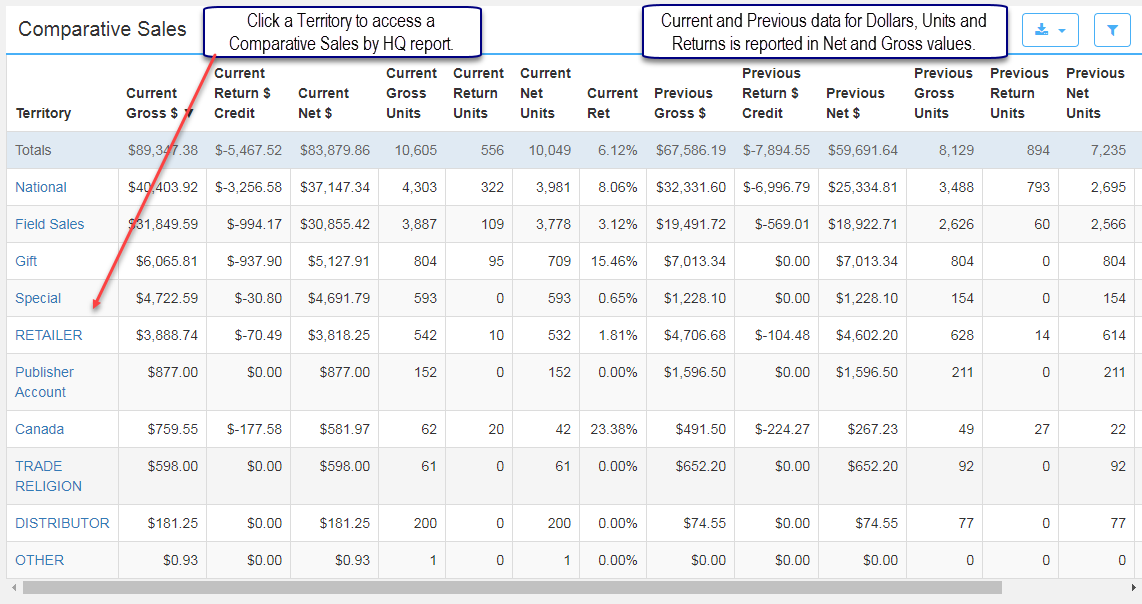
The purpose of this report is to allow publishers the ability to compare sales within a specified time by Sales Rep and Imprint. This report renders current and previous statistics for Sale, Unit and Return data, by Territory, in Gross and Net values.
Click a specific Territory to render the Comparative Sales by HQ report. Clicking a linked value (blue text) in a report renders a drilldown report in a new tab.
Territory - Examples:
National
Publisher Account
Field Sales
Gift
Canada
Retailer
Wholesaler
Trade
Library
Distributor
Independent Publishers
International
Special
Printer
Content Aggregators
Current Gross $: All current gross invoices.
Current Return Credit $: The current customer credit for returned units.
Current Net $: Current gross invoices minus return credit.
Current Gross Units: The current number of sold units.
Current Return Units: The current number of units returned.
Current Net Units: Sold units minus returned units.
Current Ret: The percentage of returns to gross sales.
** Previous is 1 year prior to the Current time frame selected (between [Current Start Date minus 1 year] and [Current End Date minus 1 year]).
Previous Gross $: All previous gross invoices
Previous Return Credit $: Previous customer credit for returned units
Previous Net $: Previous gross invoices minus return credit.
Previous Gross Units: Previous sold units.
Previous Return Units: The number of previous units returned.
Previous Net Units: Previous sold units minus previous returned units.
Previous Ret: The previous percentage of returns to gross sales.
Net Variance: The variance between current and previous time frames.
Comparative Sales by HQ
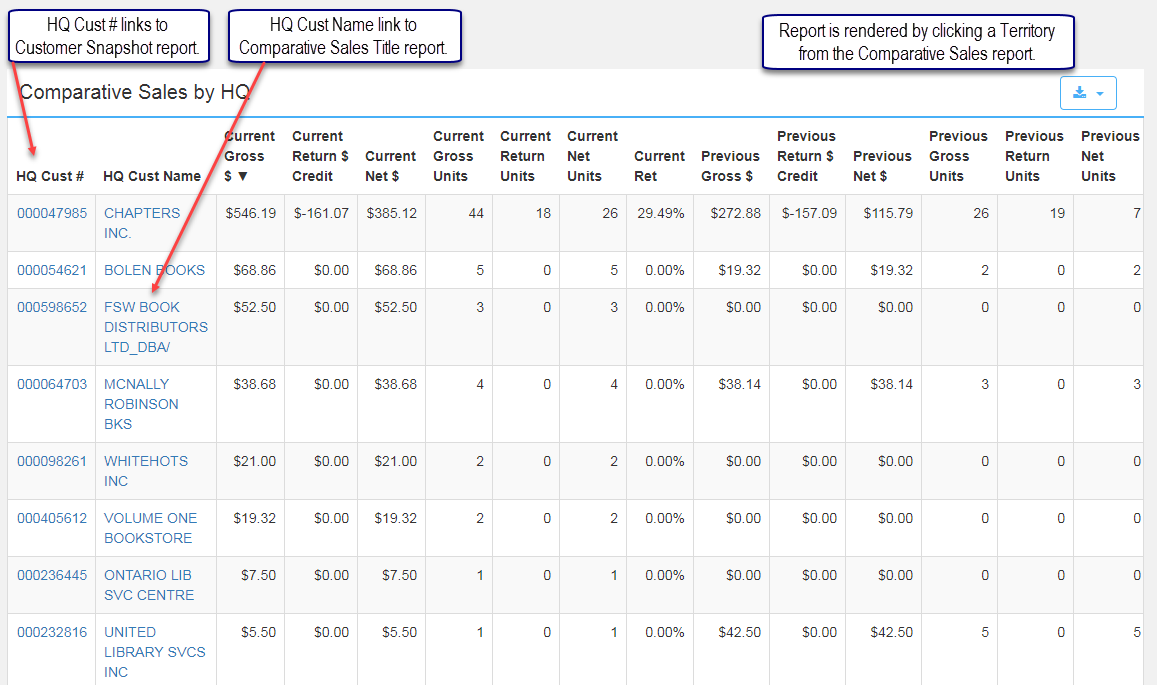
Clicking a territory in the Comparative Sales report renders the Comparative Sales by HQ report for the territory selected. Comparative Sales by HQ includes the same data elements as the Comparative Sales report. Every time a value in a linked column is accessed, a new drill-down report is created. The HQ Cust # column links to the Customer Snapshot report. The HQ Cust Name column links to a Comparative Sales Title report rendering information for a specific title.
Comparative Sales Title
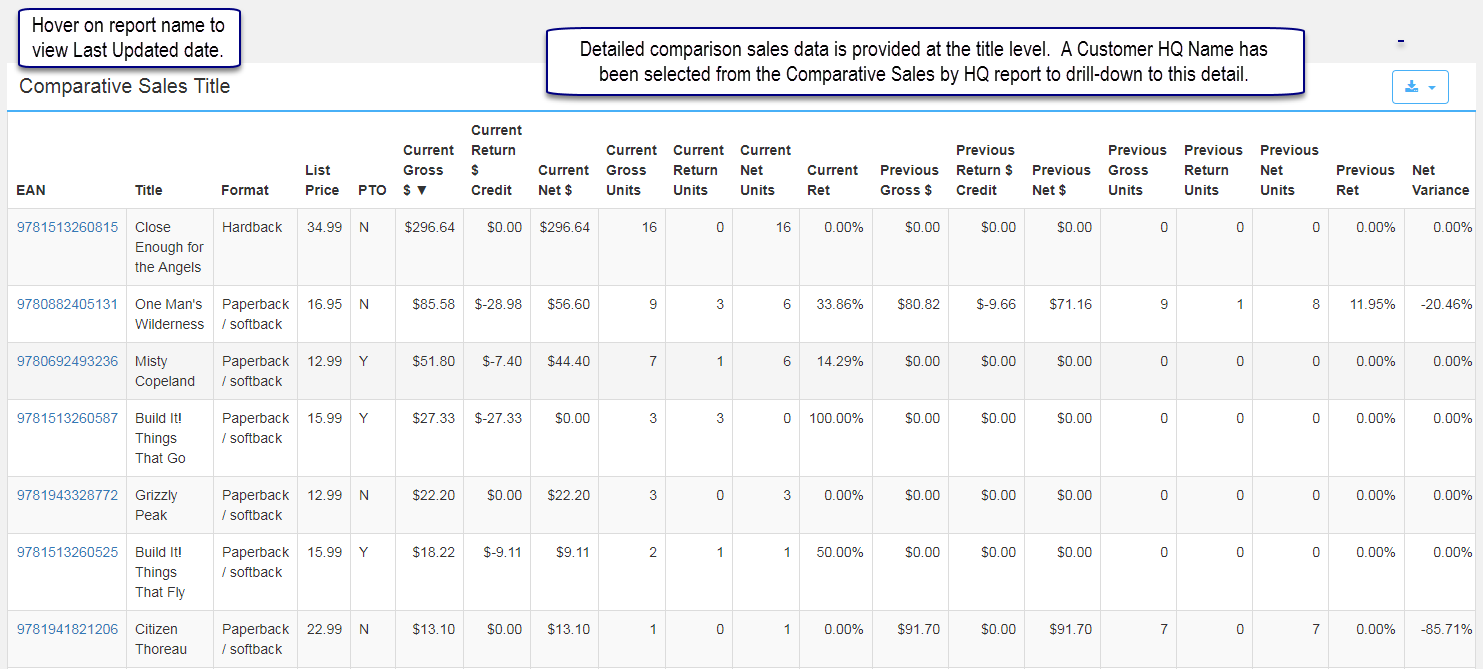
Clicking a HQ Customer Name renders a report listing the customer's titles with comparison sales data by title. At this point you have "drilled" through a broad view of comparing sales by territory to comparing customer sales and finally to the customer's list of titles sold. The Applied Filters section displays how the report is filtered. There are no additional filtering options so the filter icon is not present. The report may be exported to a CSV or Excel file. The EAN is linked to access the EAN Info page.
Comments
0 comments
Please sign in to leave a comment.