The Notable Orders report alerts users of large quantity orders. It defaults to the last 30 days with an alert threshold of 25 quantities in an order.
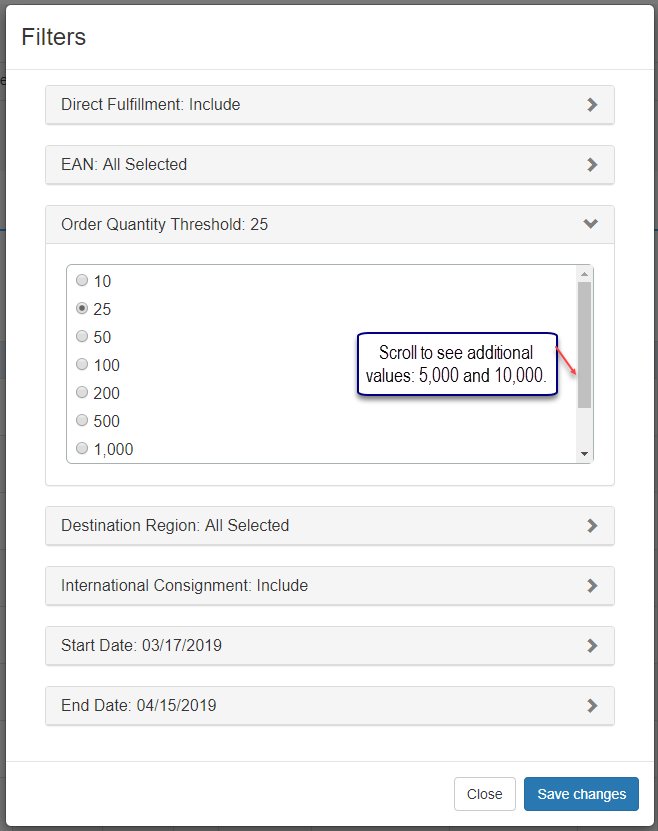
The Order Quantity Threshold filter allows you to select one of the following values: 10, 25, 50, 100, 200, 500, 1,000, 5,000, and 10,000.
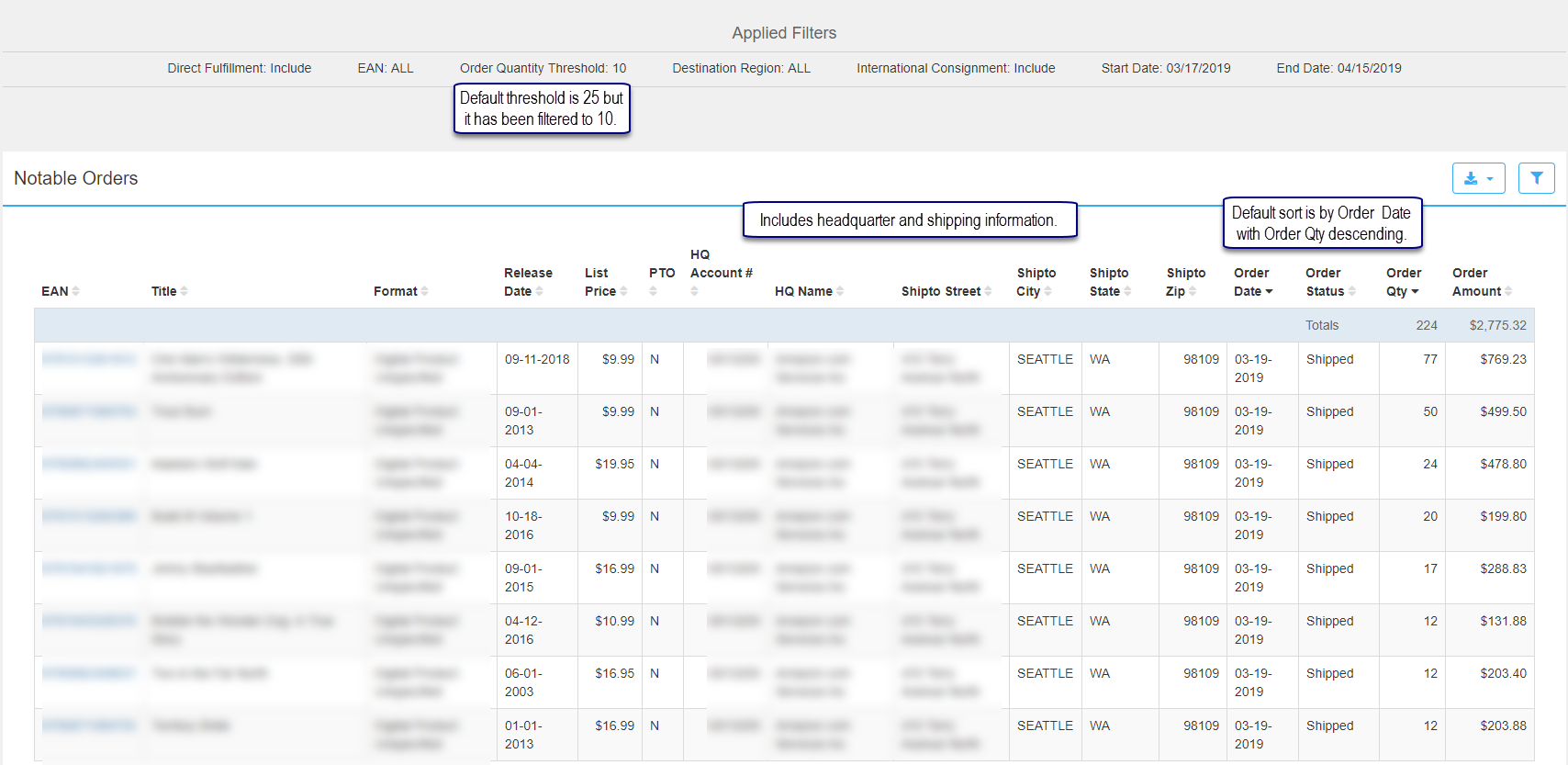
EAN: 13-digit code used to identify the product (ISBN).
Title: Title
Format – Examples:
Big Book
Board Book
Paperback / Softback
Hardback
Multiple Copy Pack
Spiral Bound
Release Date: The date initial new title backorders are released to the warehouse for fulfillment
List Price: The current list price of the title in USD.
PTO: Identifies if an item is available from LSI on a print-to-order basis.
HQ Account #: Headquarter account number linked to the headquarter name.
HQ Name: The headquarter name.
Shipto Street: Shipping location street address.
Shipto City: Shipping location city.
Shipto State: Shipping location state.
Shipto Zip: Shipping location zip code.
Order Date: The date the order was placed by the customer.
Status Date: The date a status is assigned or changed by Ingram for an item.
Order Qty: The number of units ordered.
Order Amount: The value of the items ordered.
The following is a print screen of all filter options. Once applied and saved, they appear in the Applied Filters section of the report.
Comments
0 comments
Please sign in to leave a comment.