This report tracks transactions which impact inventory balances from a beginning date to an ending date. This report can also be accessed by clicking a bar in the Ending Inventory Snapshot panel on the Operations Dashboard.
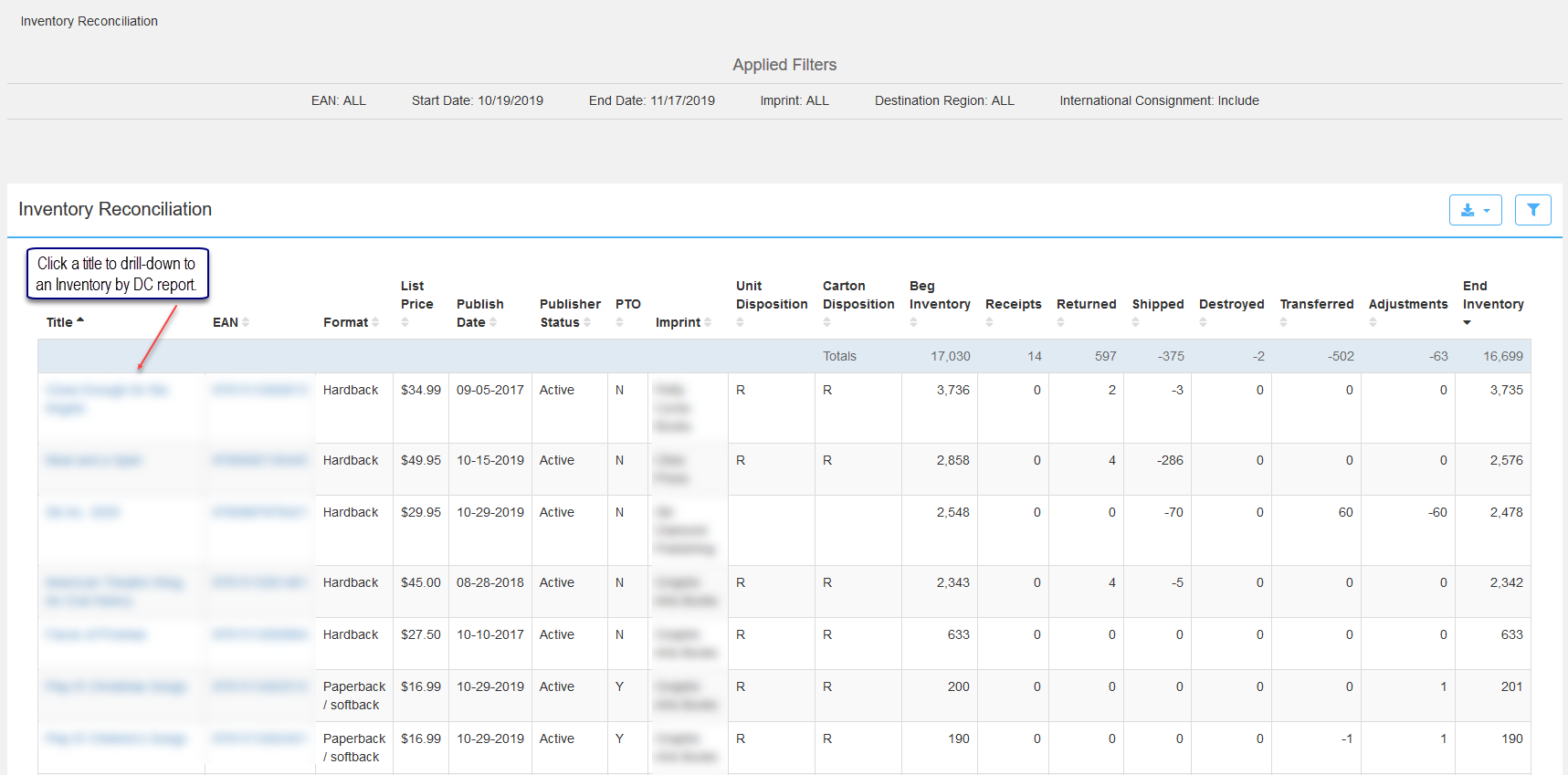
Title: Title
EAN: 13-digit code used to identify the product (ISBN).
Format: – Examples:
Paperback / Softback
Hardback
Multiple Copy Pack
Spiral Bound
CD-Audio
Digital (Delivered Electronically)
Mobipocket
Digital Download
Epub
Ebook
PDF
List Price: The current list price of the title in USD.
Publish Date: From CoreSource, publisher defined expected date for product to be available.
Publisher Status: Publisher Status of titles at Ingram, pulled in from CoreSource.
PTO: Identifies if an item is available from LSI on a print-to-order basis. Values:
Y = Yes
N or blank = No
R = Revision (item temporarily removed from PTO for revision).
Imprint: Imprint
Unit Disposition: Instructions for how to handle the unit return of a product. Values: C - Categorized Remainder, D - Destroy and R- Restock.
Carton Disposition: Instructions for how to handle the carton return of a product. Values: C - Categorized Remainder, D - Destroy and R- Restock.
Beg Inventory: Sum of inventory at the beginning of the calendar period.
Receipts: Units received.
Returned: Units returned.
Shipped: Units shipped.
Destroyed: Units destroyed.
Transferred: Units transferred between IPS warehouses.
End Inventory: Sum of inventory at the end of a reporting period once inventory transactions are applied.
Inventory Reconciliation by DC
Click a book title to open an Inventory Reconciliation DC report which tracks inventory transactions and balances for a defined timeframe by DC.
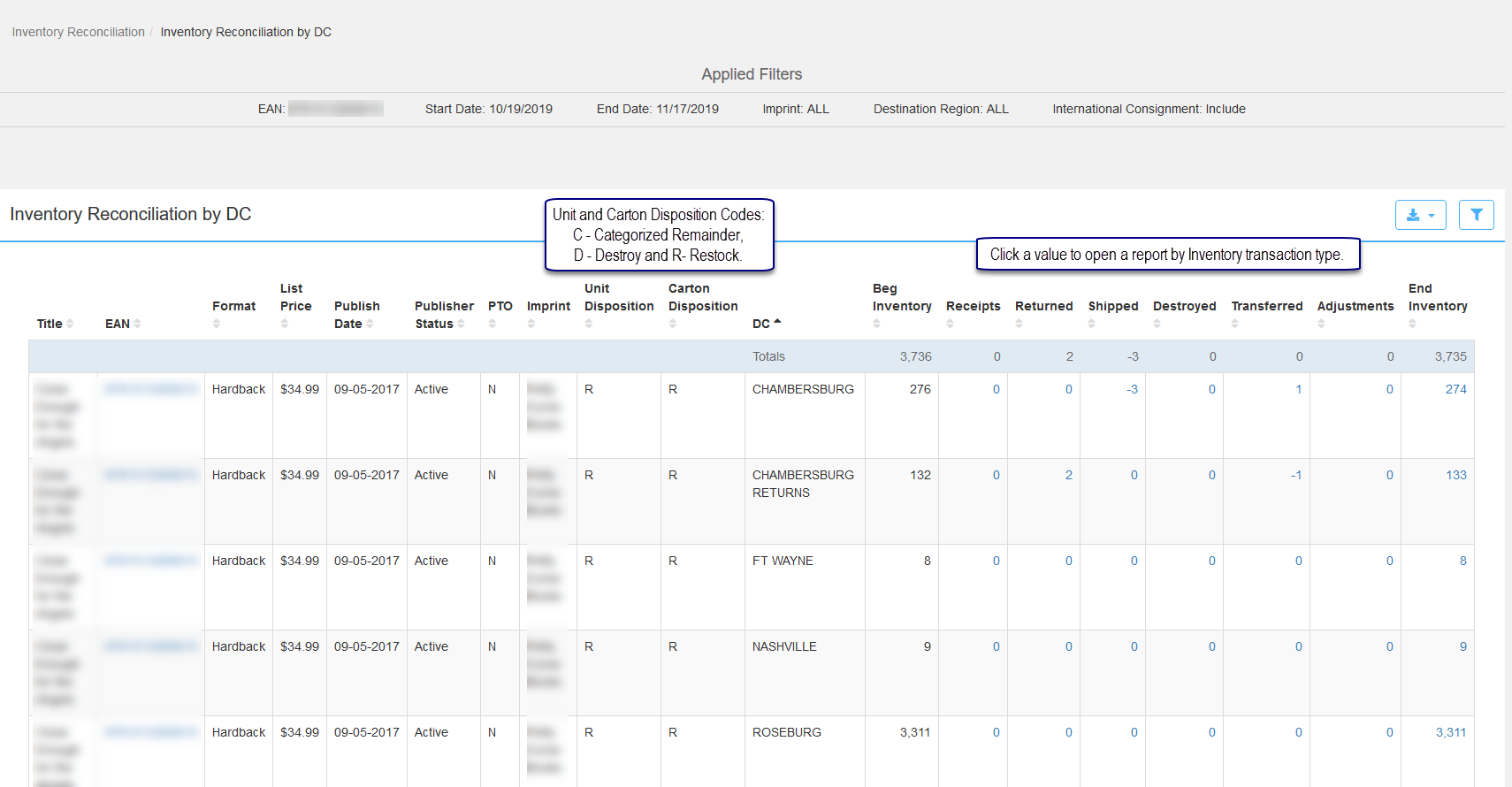
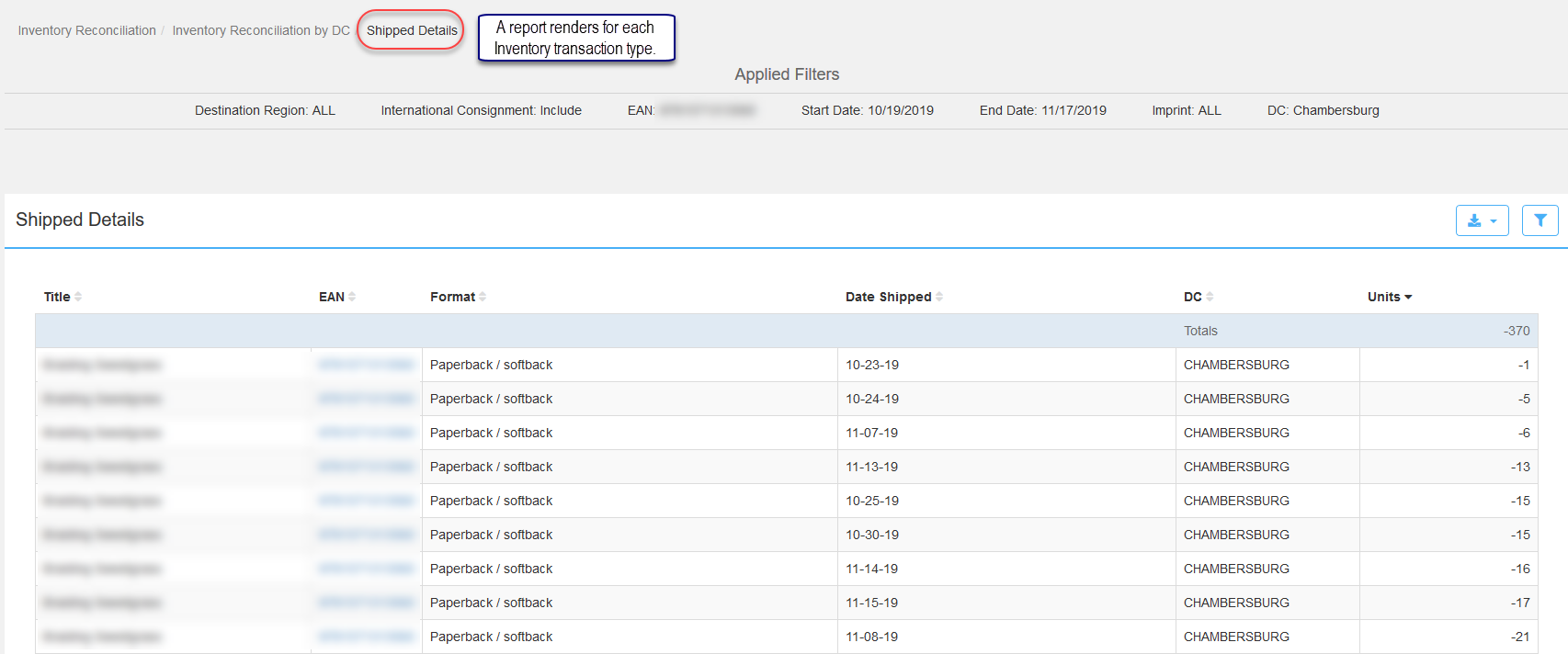
Click an Inventory transaction type value to access a report for the specific transaction and DC selected.
Comments
0 comments
Please sign in to leave a comment.