The Customer Snapshot report compares current sales data to sales in the same time periods of last year. Dollars, Units, Returns, Discounts and Variances display. By default, the report includes all HQ Names and Territories when accessed from the QuickLinks Dashboard. Filter by a HQ Name or Territory to return specific information.
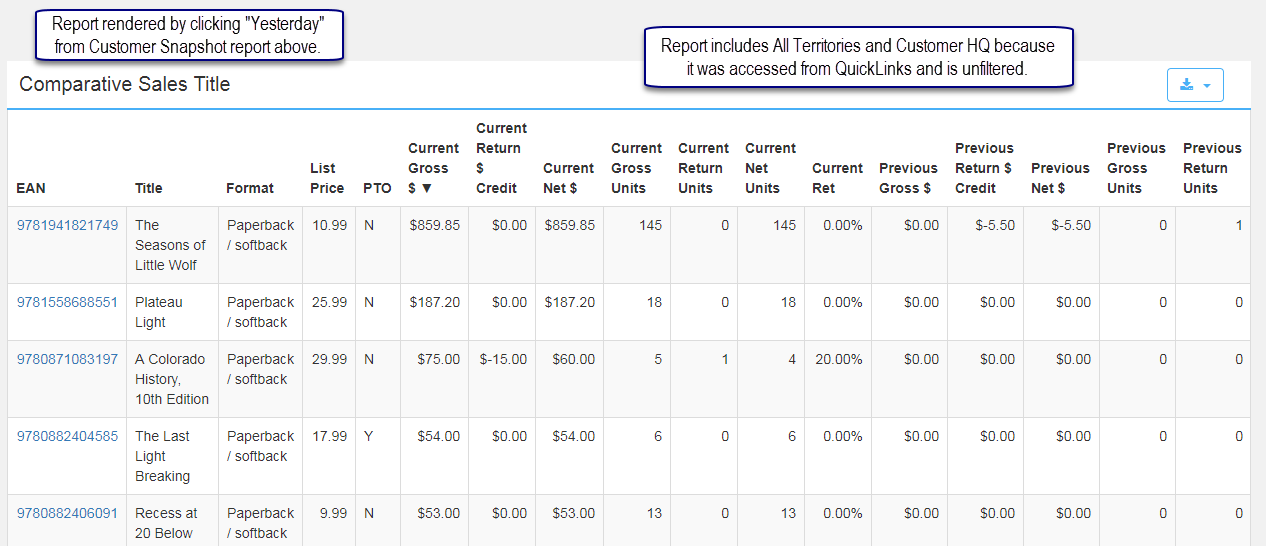
Time Periods Yesterday and YTD link to Comparative Sales Title reports. These are similar to other Comparative Sales Title reports, but here they include all Territories and Customer HQ accounts because the default settings are used.
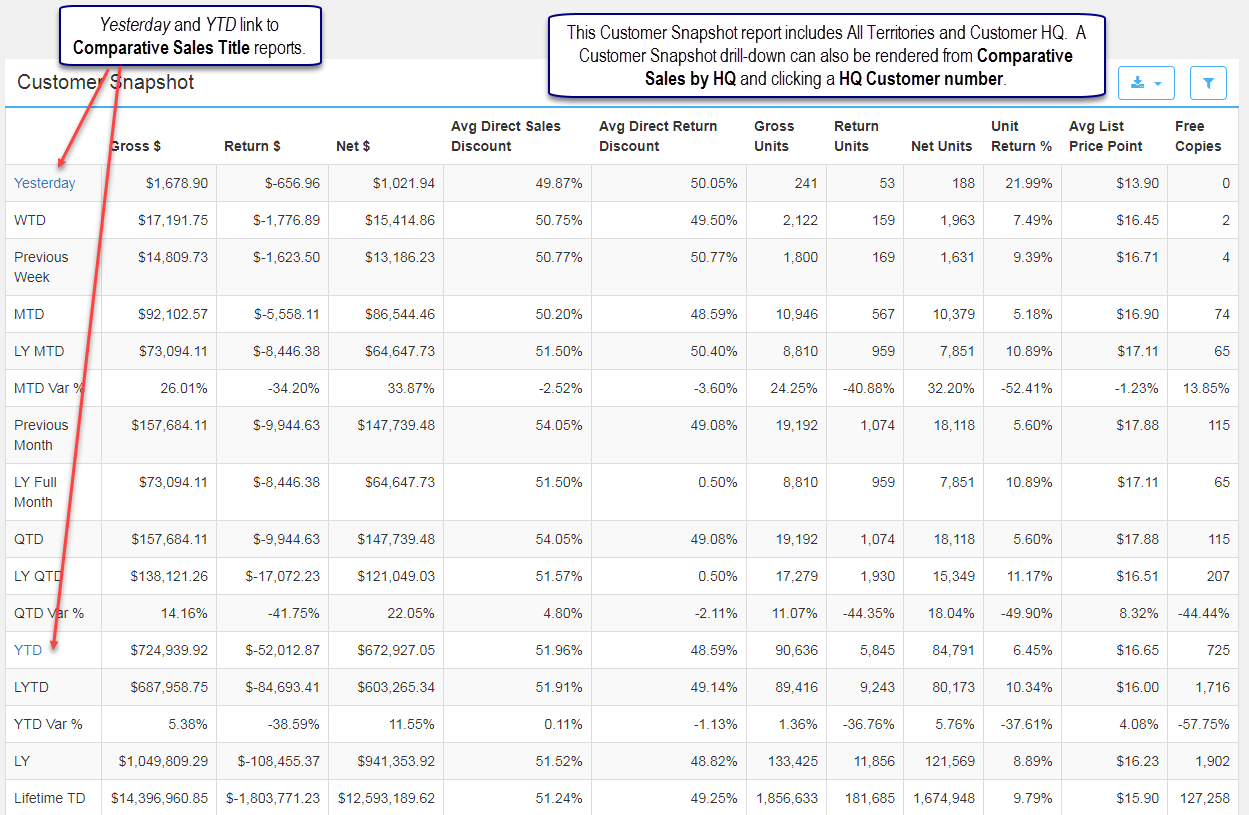
Clicked time period: Yesterday to render the Comparative Sales Title report below.
Comments
0 comments
Please sign in to leave a comment.