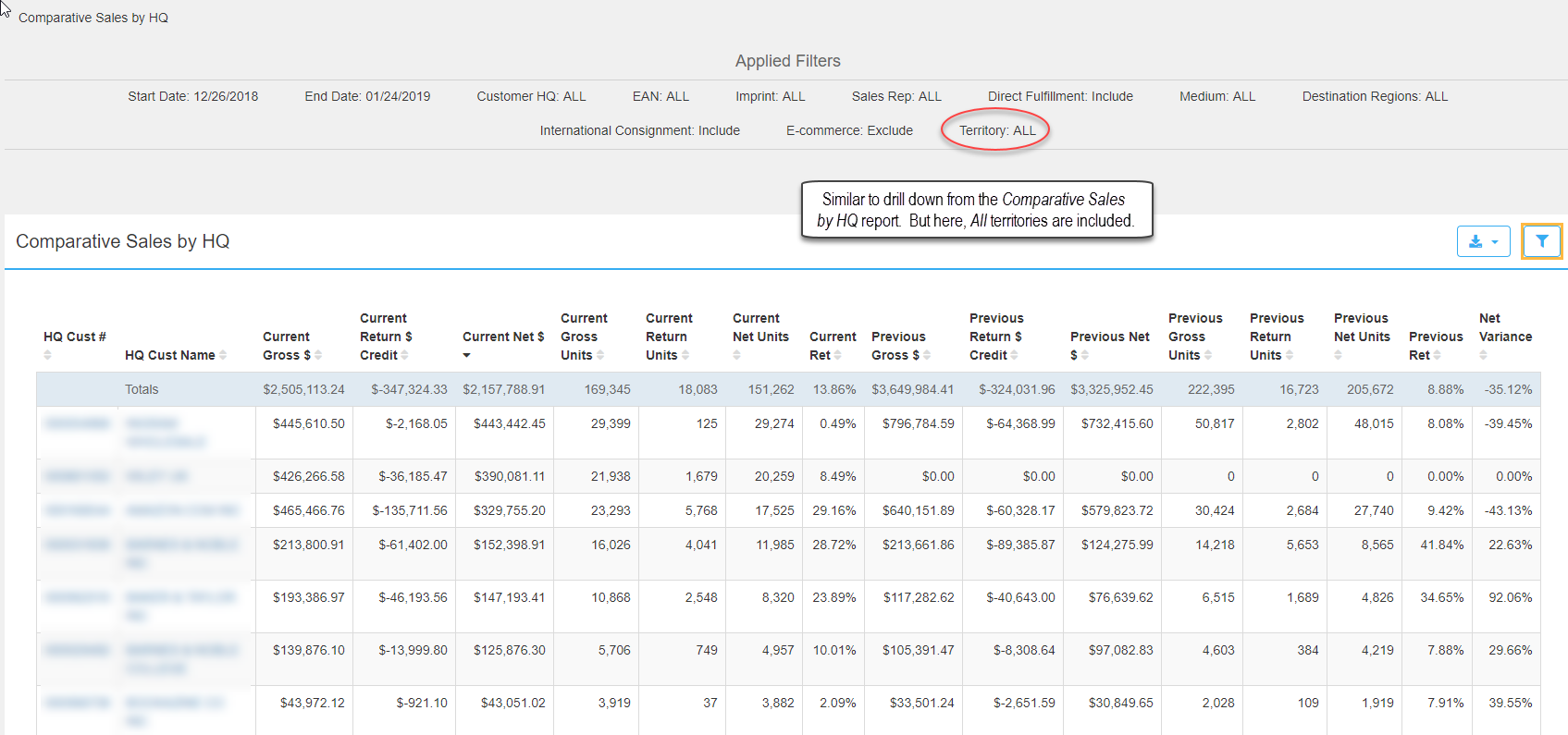
The Sales by Customer link renders a Comparative Sales by Headquarter report. This is similar to the drill down accessed from Comparative Sales. (Accessing from Comparative Sales, you have to select a territory, so the results are only for one specific territory.) The Sales by Customer link includes ALL territories.
The Applied Filters section includes Start and End dates which default to the last 30 days, while global filter options: Direct Fulfillment, International Consignment, and E-commerce default to how they appear in My Settings > Global Report Filters. The remaining filters default to ALL. Edit any filter as desired.
HQ Cust #: The customer’s headquarter account number linked to the headquarter name.
HQ Cust Name: The customer's headquarter name.
Current Gross $: All current gross invoices.
Current Return Credit $: The current customer credit for returned units.
Current Net $: Current gross invoices minus return credit.
Current Gross Units: The current number of sold units.
Current Return Units: The current number of units returned.
Current Net Units: Sold units minus returned units.
Current Ret: The percentage of returns to gross sales.
** Previous is 1 year prior to the Current time frame selected (between [Current Start Date minus 1 year] and [Current End Date minus 1 year]).
Previous Gross $: All previous gross invoices
Previous Return Credit $: Previous customer credit for returned units
Previous Net $: Previous gross invoices minus return credit.
Previous Gross Units: Previous sold units.
Previous Return Units: The number of previous units returned.
Previous Net Units: Previous sold units minus previous returned units.
Previous Ret: The previous percentage of returns to gross sales.
Net Variance: The variance between current and previous time frames.
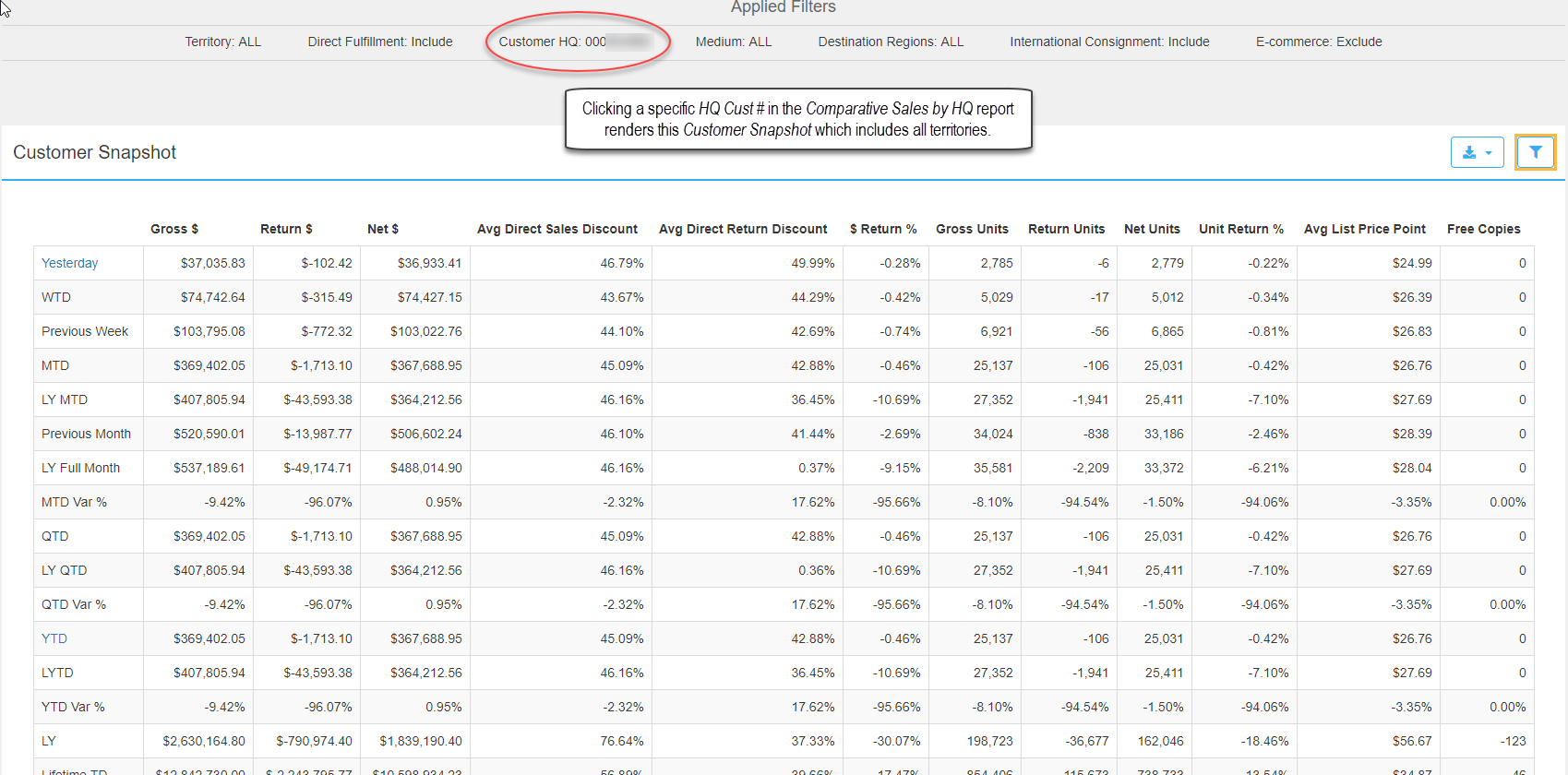
Clicking a headquarter account number in the HQ Cust # column renders a Customer Snapshot report for one specific headquarter but inclusive of all territories.
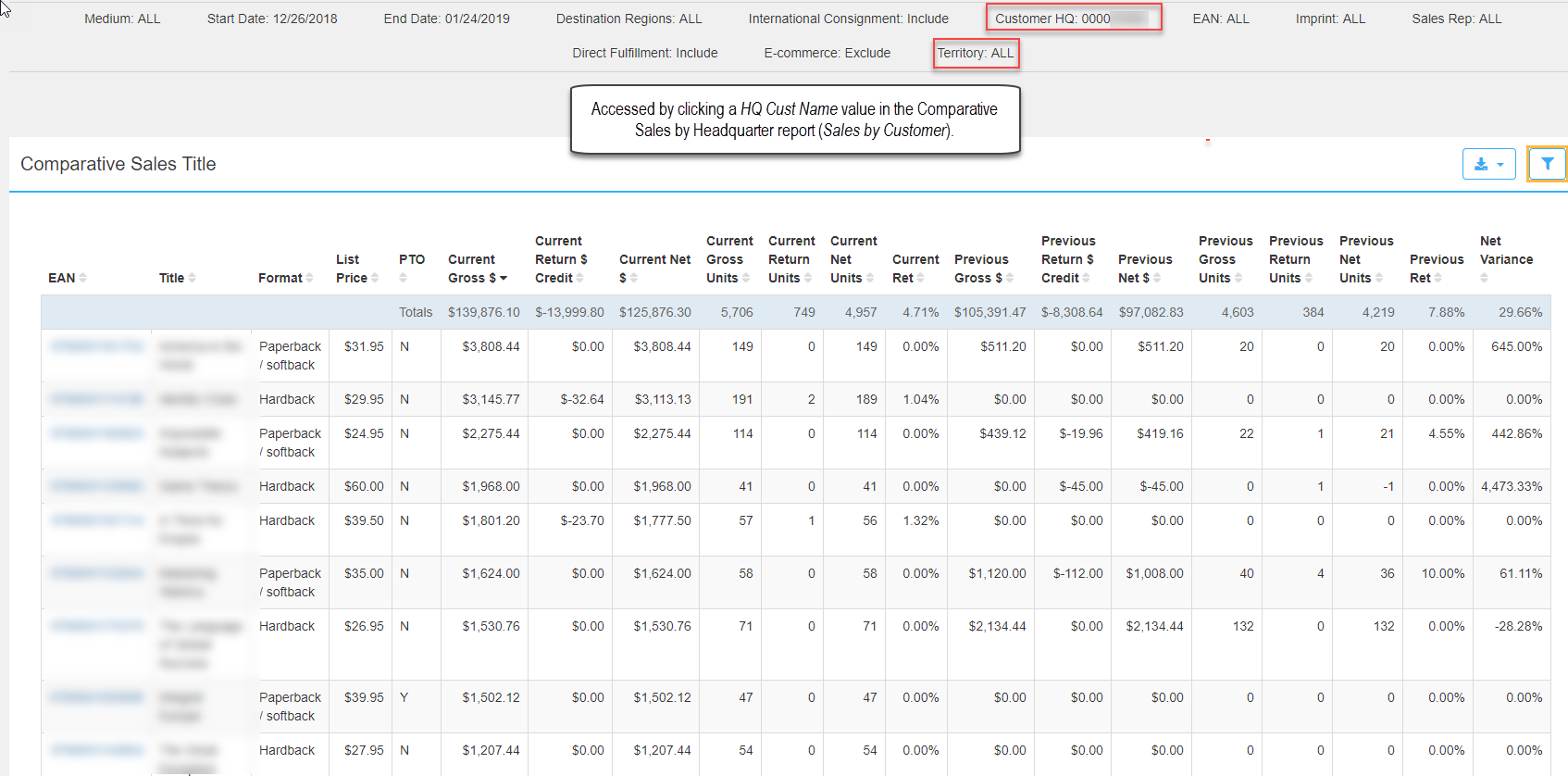
Clicking a HQ Cust Name value renders the Comparative Sales Title report which displays sales by title for all territories. The HQ account number associated with the HQ name displays in the report.
Comments
0 comments
Please sign in to leave a comment.