Subscription reporting is where publishers pay a fee to obtain reports specific to their products. Publishers need to contact their account manager with questions about this service. Subscription report agreements are usually authorized at the same time the Publisher is setup.
Sell Through
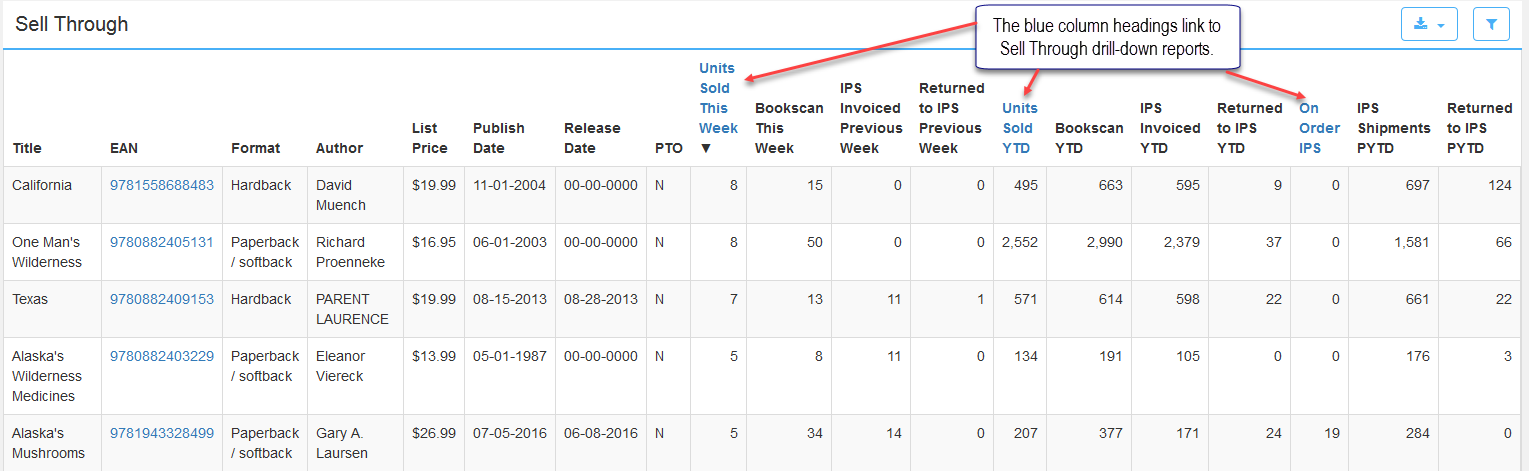
The Sell Through report tracks units sold this week along with units invoiced and returned in the previous week for each title. Additionally, it lists Bookscan units, YTD and PYTD (previous year to date) unit totals as well. The column headings in blue link to a Sell Through Weekly, Sell Through YTD and Backorder Aging HQ reports.
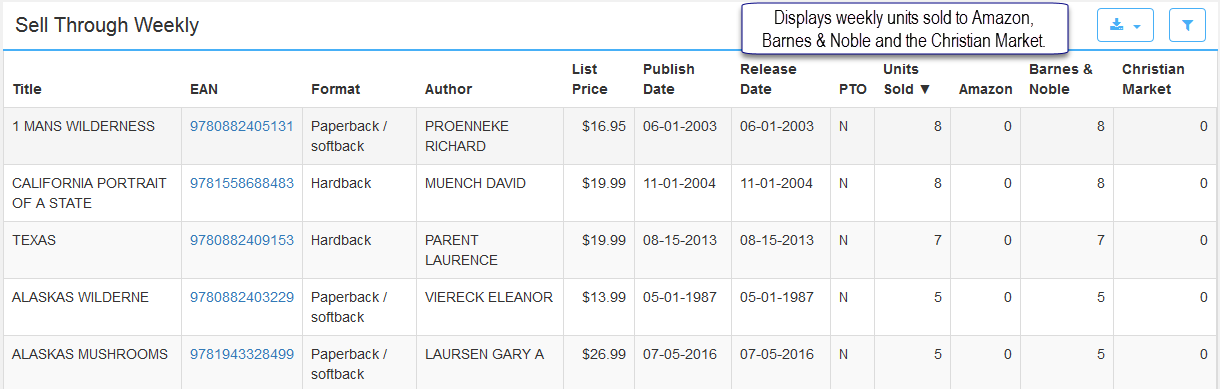
Sell Through Weekly
This report defines weekly units sold via Amazon, Barnes & Noble and the Christian Market for every product listed along with other information about the title. Weekly reporting starts on a Saturday and ends the following Friday.
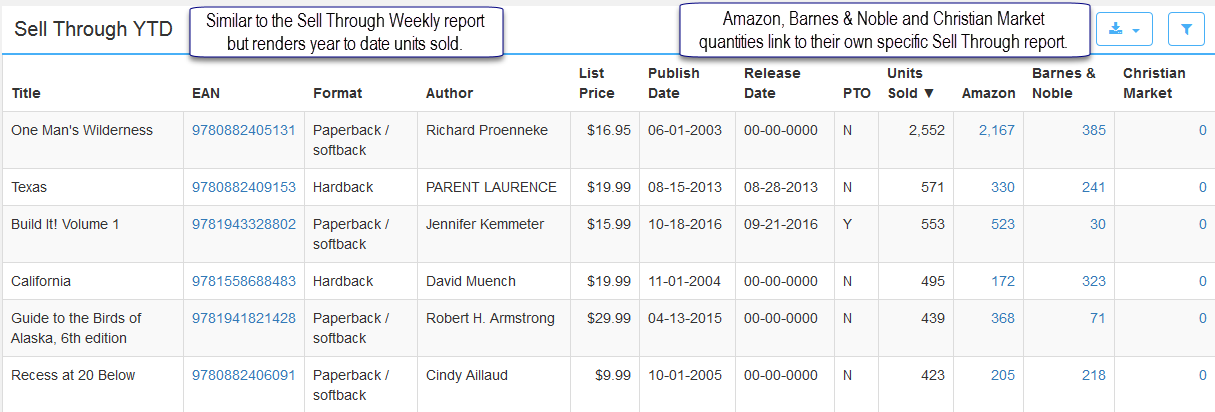
Sell Through YTD
The Sell Through YTD report is like the weekly report above, but in addition, the YTD unit values in the Amazon, Barnes & Noble and Christian Market columns link to their own specific Sell Through report.
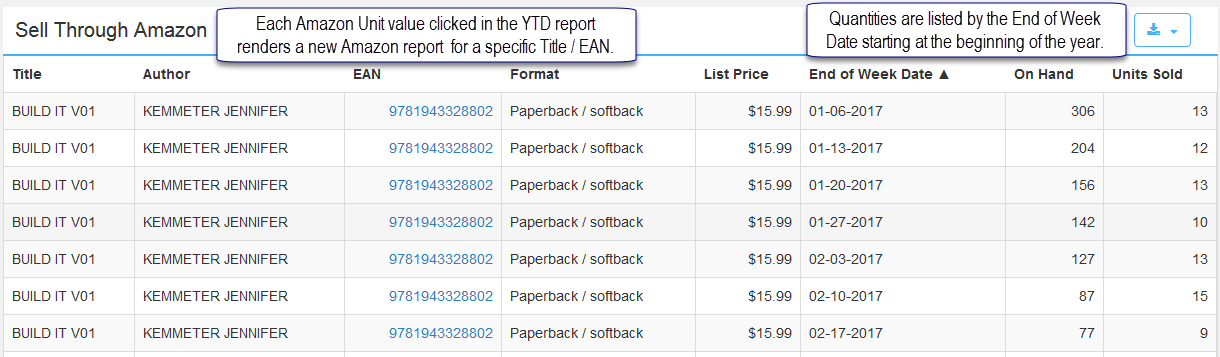
Sell Through Amazon
Click an Amazon unit value in the Sell Through YTD report to render an Amazon report for a specific title. Each unit value clicked renders a new Amazon report for that product. Weekly On Hand and Units Sold information is provided from the beginning of the year. The reporting week starts on a Saturday and ends the following Friday. The week is defined in the End of Week Date column.
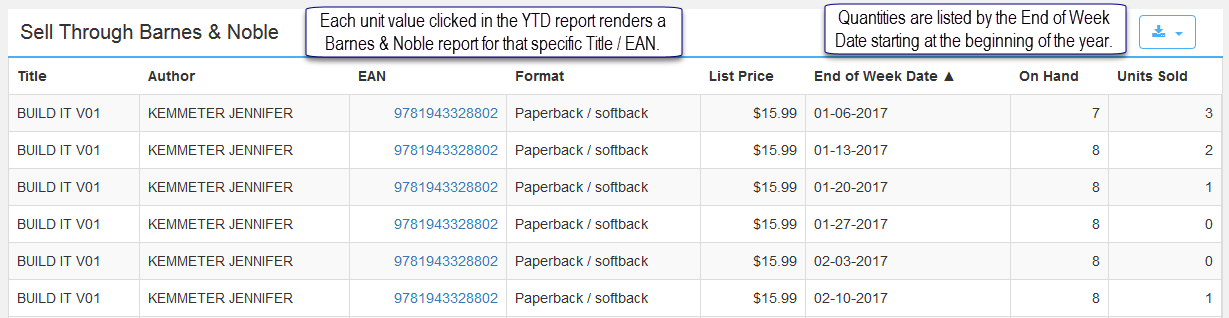
Sell Through Barnes & Noble and the Sell Through Christian Market
These reports behave the same as the Amazon report above. Each report is accessed by clicking a unit value from the Sell Through YTD report and renders specific title information depending on the column and unit value chosen.
Comments
0 comments
Please sign in to leave a comment.