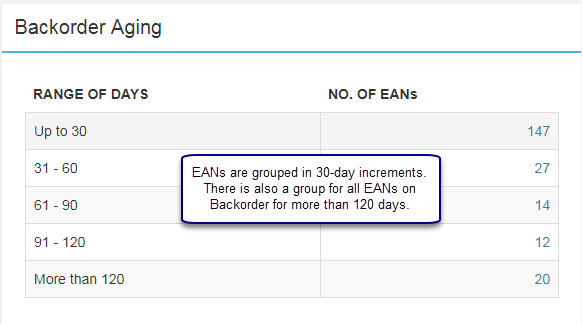
This panel lists the number of EANs on Backorder grouped in 30-day increments up to 120 days by the Order Entry Date. There is also a category of "More than 120" days for Backordered EANs. All titles with open Backorders (not committed) are considered but only titles with an active status are included. The number of EANs value is hyper-linked to a Backorder Aging Details report.
Backorder Aging Details
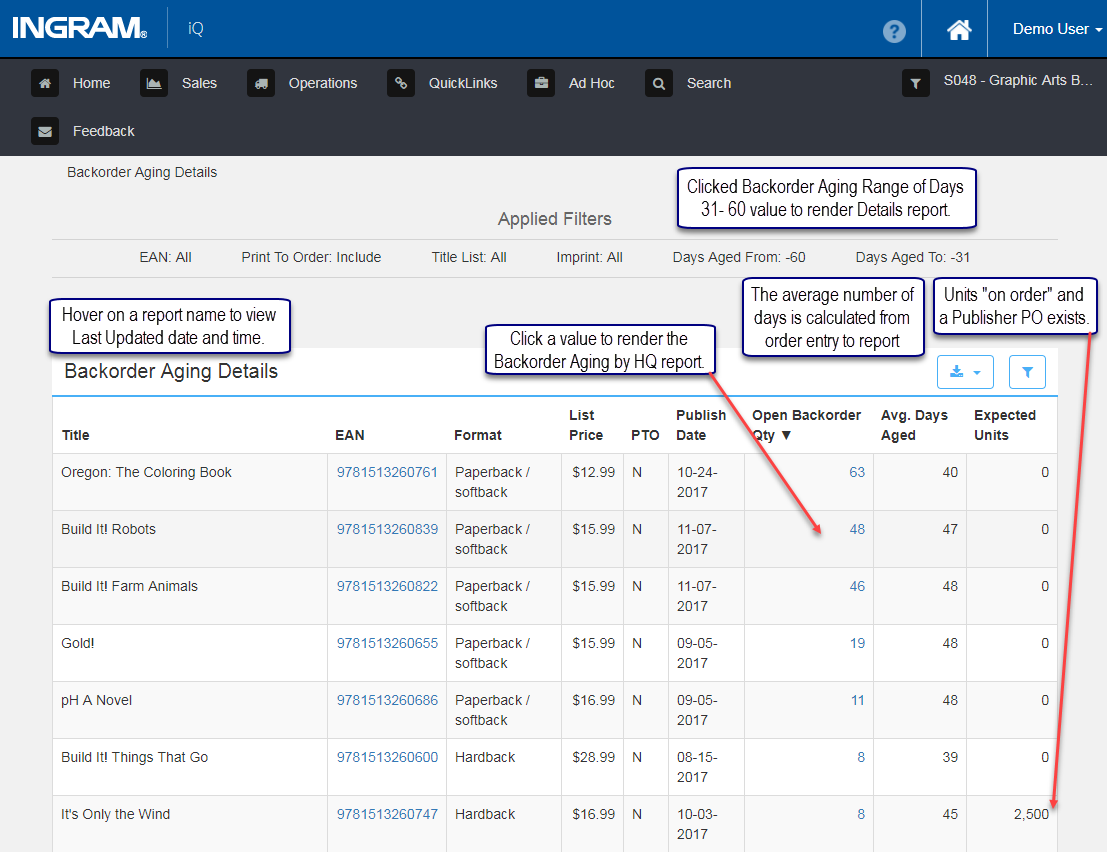
This report is accessed by clicking a value in the NO. OF EANs column in the Backorder Aging panel. Detailed Backorder information for individual EANs is displayed. Click an EAN to access the Single EAN Dashboard. Click the value in the Open Backorder Qty column to access the Backorder Aging by HQ report.
Backorder Aging by HQ
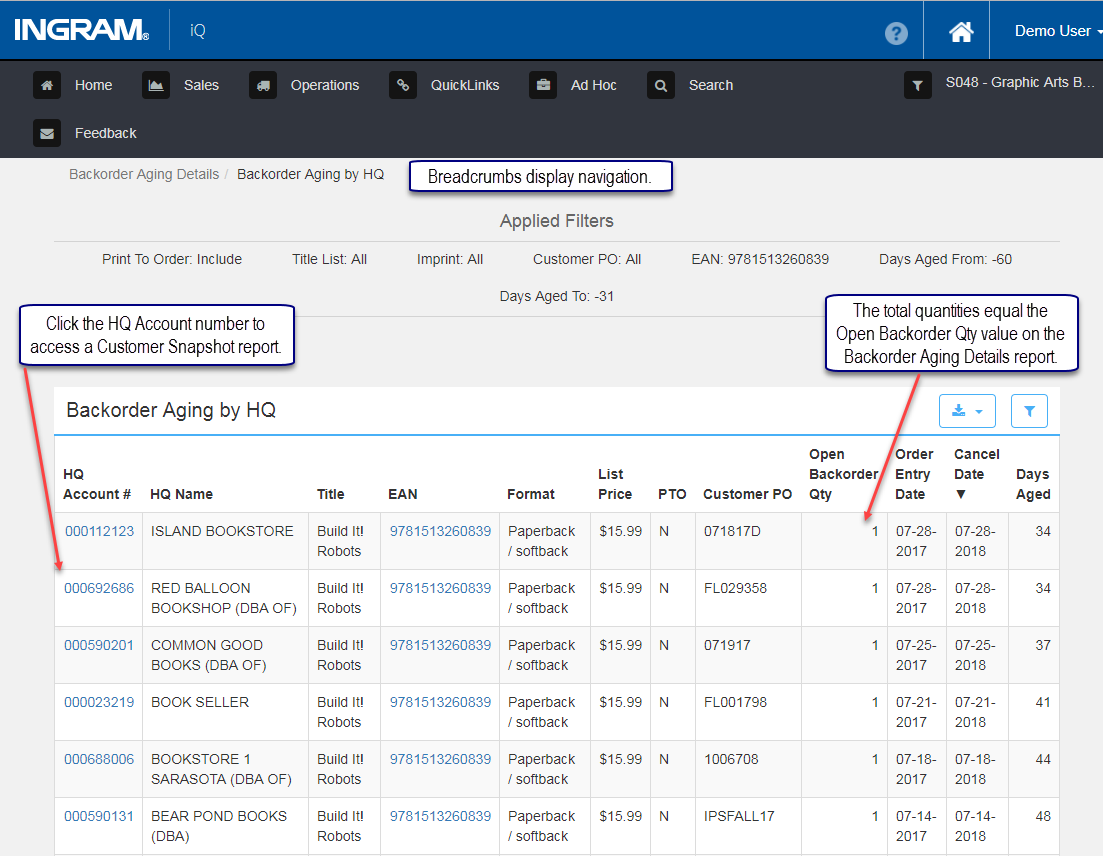
The Open Backorder Qty 48, from the Backorder Aging report above, was clicked to render this Backorder Aging by HQ report. iQ is using the HQ Account Number to return the HQ Account Name to ensure proper reporting so similar Headquarter Names will not be misconstrued.
The backorder quantity is displayed for each HQ Account number/name combination. These values added together equal the Open Backorder Qty value clicked from the Backorder Aging report.
Customer Snapshot
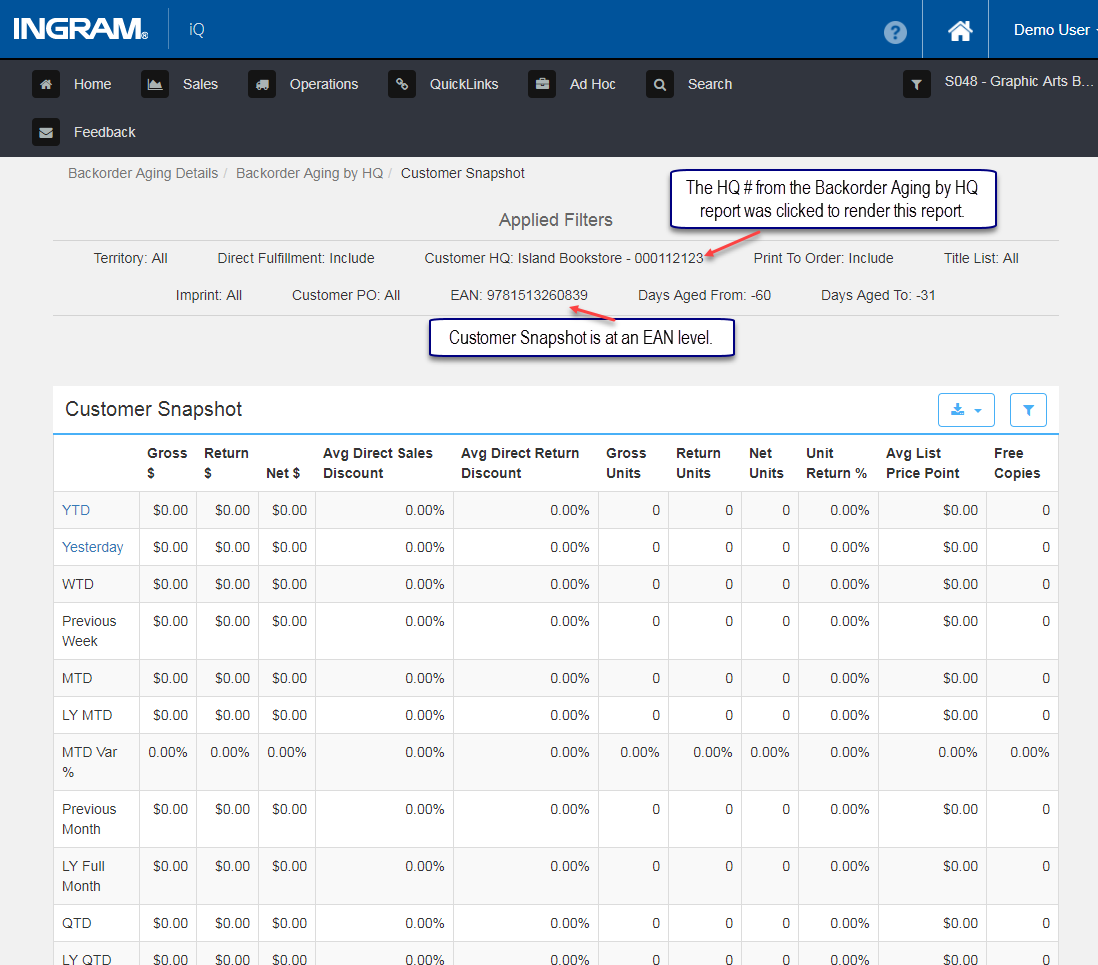
Click a Headquarter Account number to access the Customer Snapshot report. This is like the Customer Snapshot accessed via the QuickLinks Dashboard. But here, the Customer Snapshot report is filtered to the EAN level. In the example below, all values are zero.
Comments
0 comments
Please sign in to leave a comment.