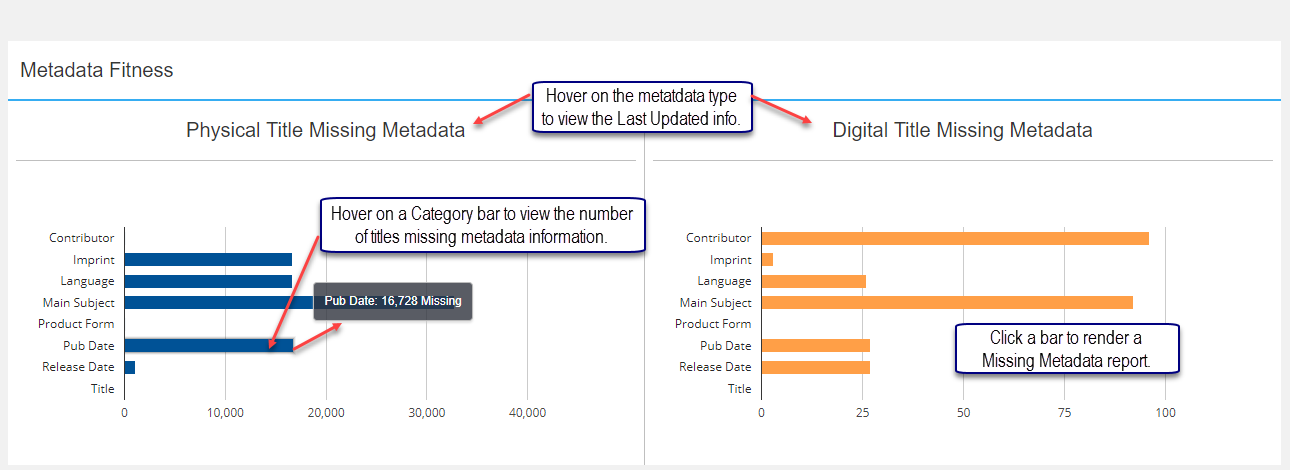
The Metadata Fitness panel displays Physical and Digital charts listing specific metadata categories with missing metadata. Category labels display on the left while number values display at the bottom of the chart. Hover on a specific bar to view the number of titles missing metadata information. This information correlates to the Single EAN Dashboard where ! Missing displays under the metadata Category in the EAN Information panel.
Missing Metadata Report
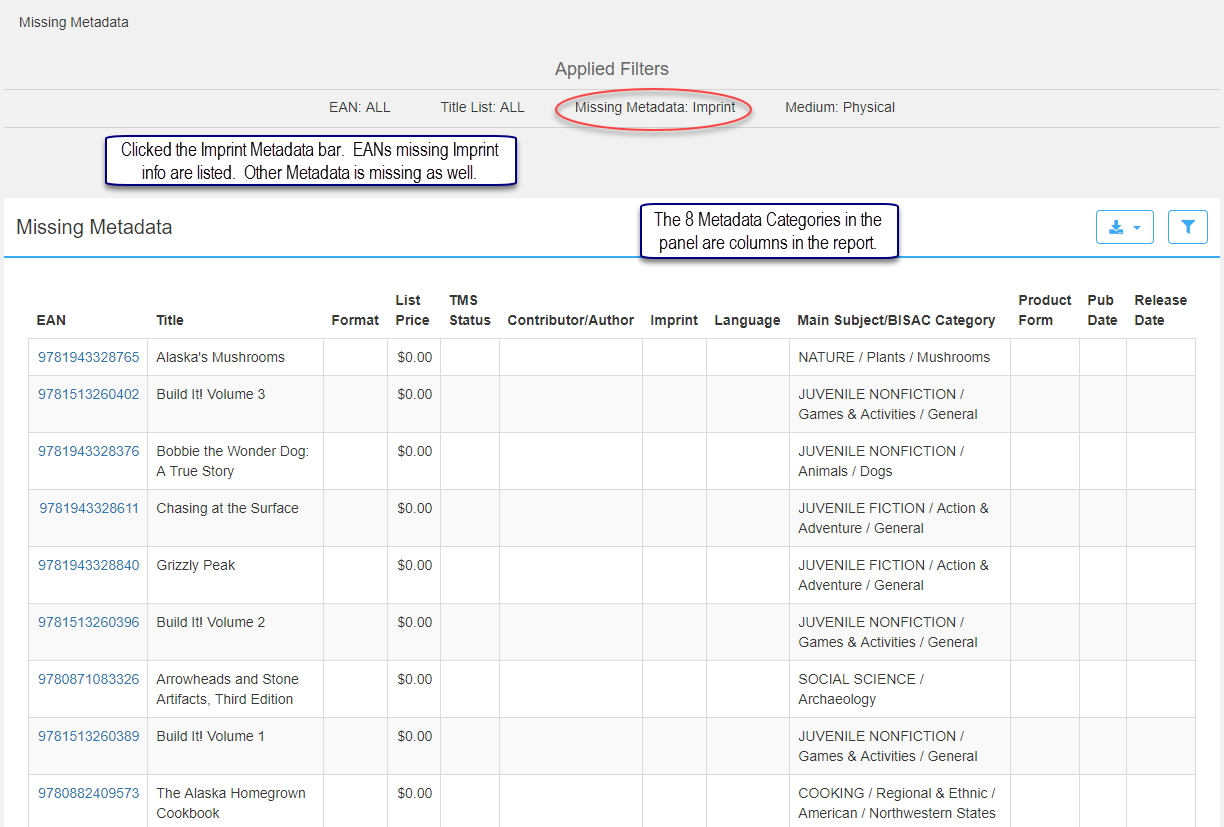
Click a bar in the Metadata Fitness panel to create a report listing EANs missing specific metadata. All categories in the panel display in the report along with other title information.
Filter options allow you to choose several or all Missing Metadata categories. EAN, Title List Type, and Medium are the other filter options. The Export button downloads to a CSV or Excel format.
Clicking the EAN links to the Single EAN Dashboard (EAN info page.) You can visually see all missing metadata for a specific Title/Format/EAN. Product information cannot be corrected in iQ since iQ is a reporting tool. Add or correct missing metadata in another application such as CoreSource, LSI, etc. iQ is updated nightly via data feeds and other sources.
Comments
0 comments
Please sign in to leave a comment.