Newly created Users receive an email with directions on how to register with Ingram iQ. In the example below, the New User's name is JB User.
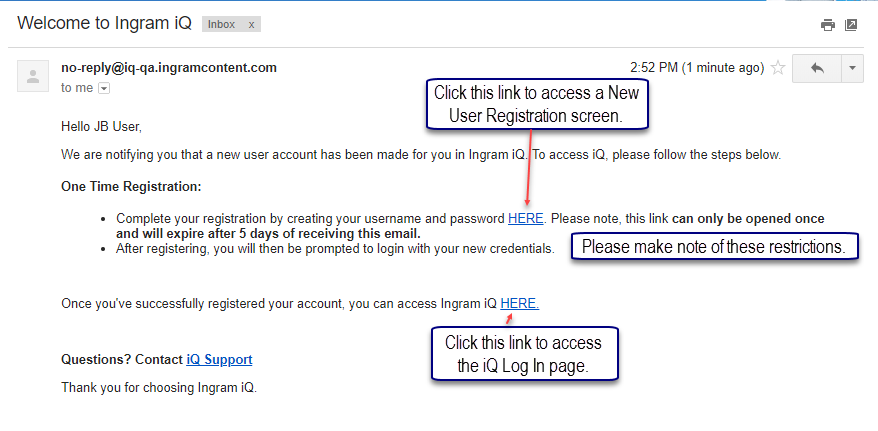
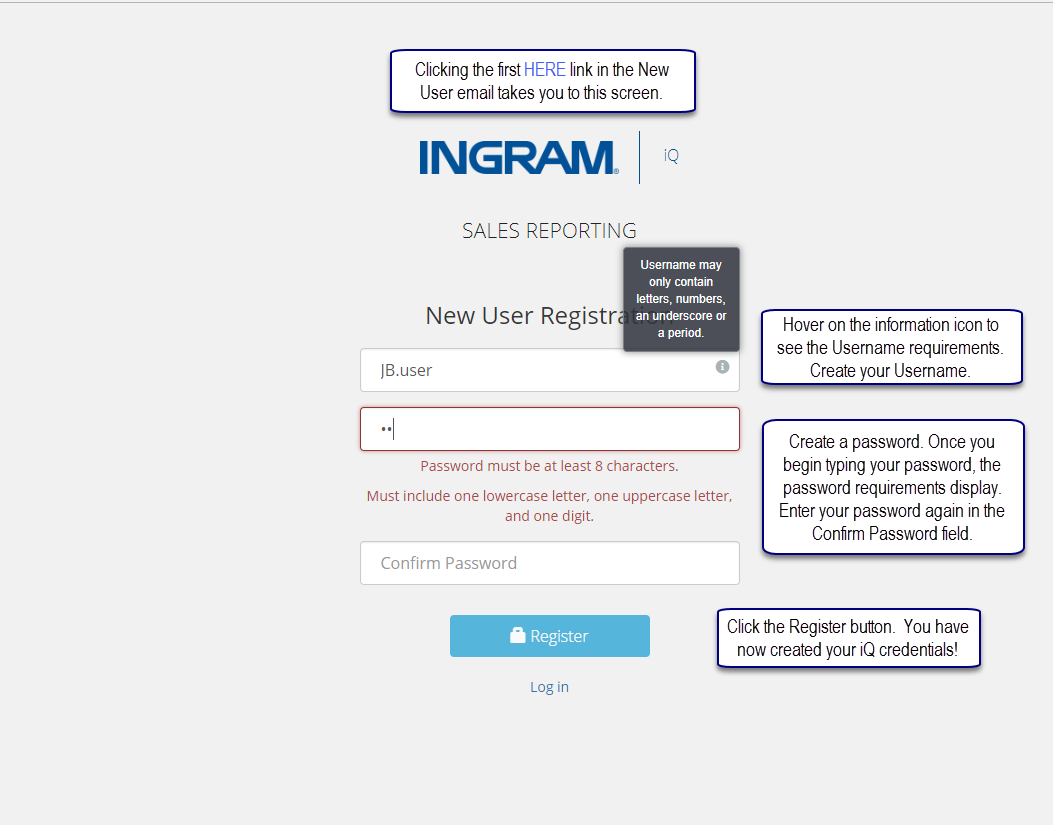
Click the first HERE link in the New User email to access the New User Registration screen. The following screenshot directs you through the registration process. Please note that usernames must be at least 6 characters.
After clicking the Register button, you are directed to the Log In page. Enter the iQ credentials you just created and click the Log In button.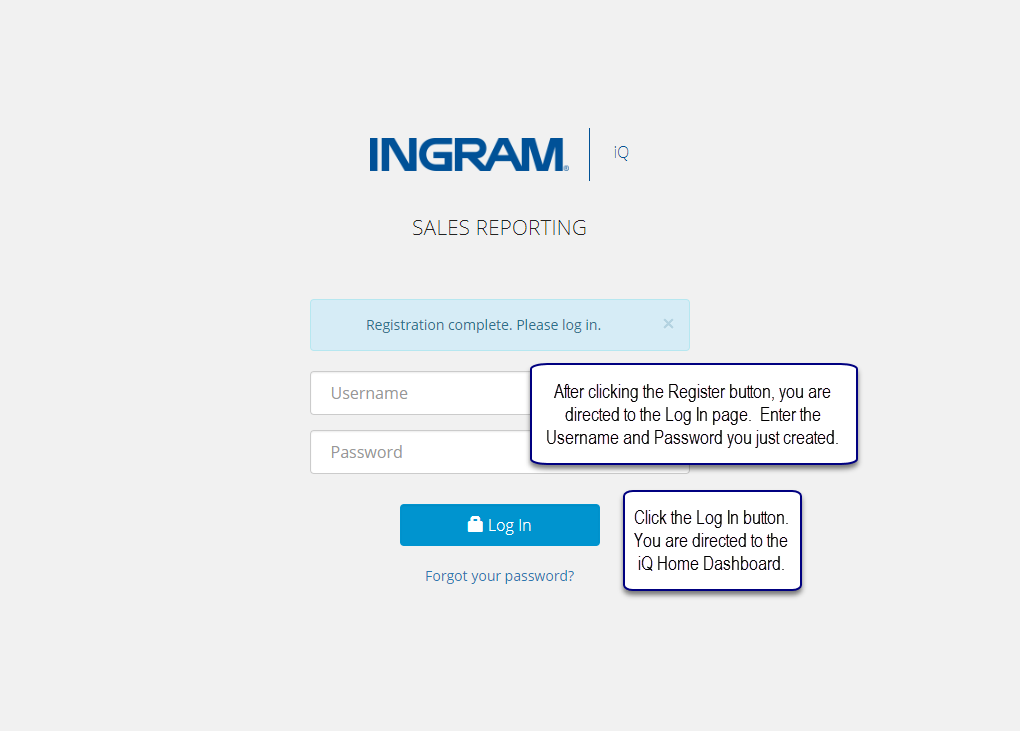
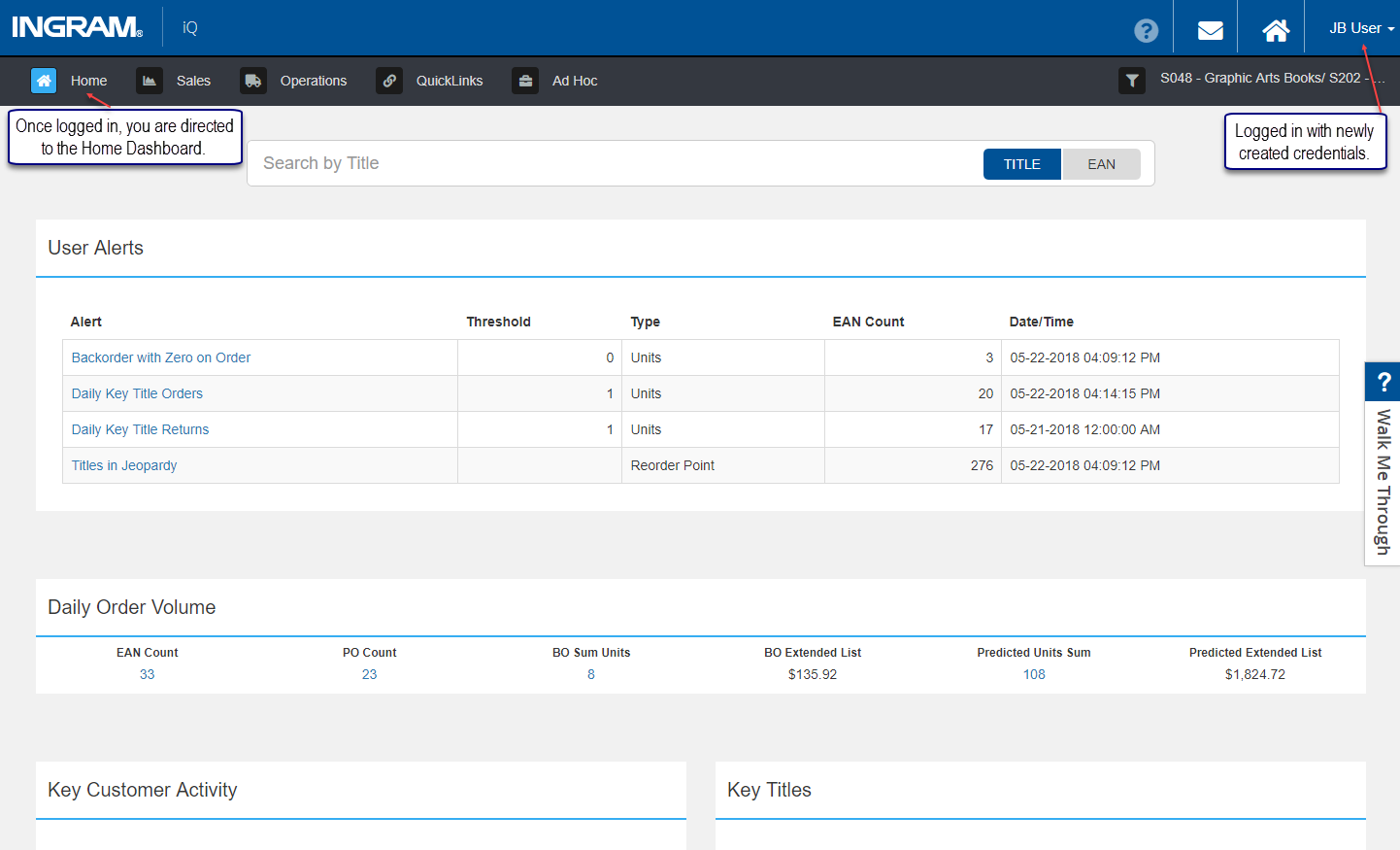
Clicking the Log In button directs you to the iQ Home Dashboard.
Comments
0 comments
Please sign in to leave a comment.